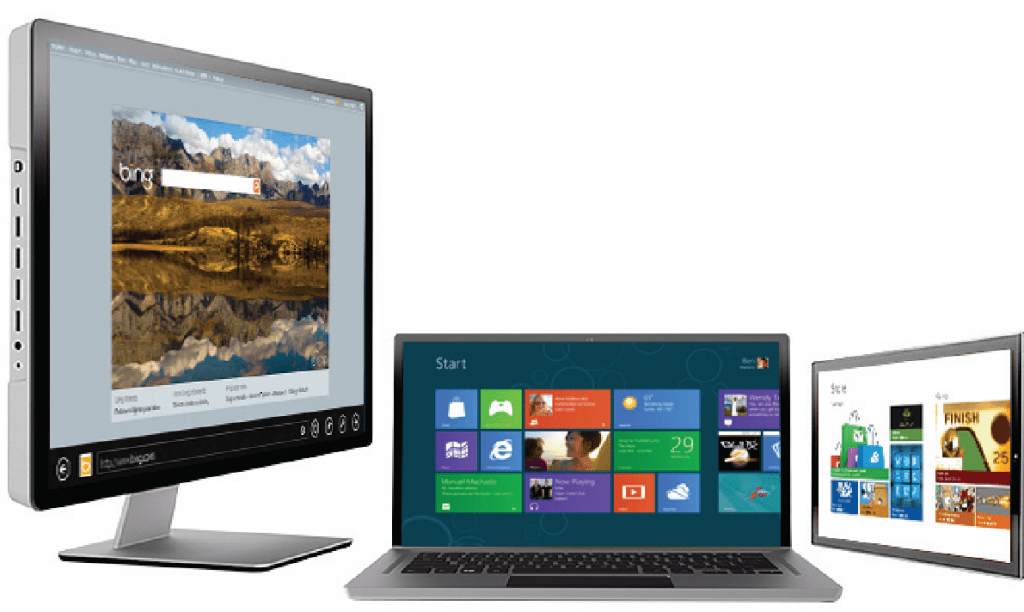
This is big, very big! Windows 8 Consumer Preview is available for download!
On February 29, 2012, Microsoft unveiled the Windows 8 Consumer Preview. According to Microsoft, The consumer preview has “over 100,000 code changes and the Consumer Preview represents a refined product ready for broad and daily usage by those of you willing to test a pre-release OS”.
Upgrading
According to Microsoft, Windows 8 Consumer Preview can be upgraded from Windows 7 and Windows Developer Preview, meaning all files, settings, and installed programs will be preserved. Windows Vista and XP users can upgrade but only their files and settings will be preserved, and not installed programs.
I won’t leave you waiting! Go ahead and download the consumer preview now!
Install Now!
Fastest and Easiest Way to Install:
Install Windows 8 (web installer)
This is, by design, the fastest way to install Windows 8. This will download a small (few megabytes) installer. It will, then, check for compatibility, download the require components. After that, you will have the option to install it to your PC or put it in a USB or DVD so you can install it on another PC.
Installing options for advanced users:
This is a very large file, and is intended for advanced users. You must know how to handle ISO files by either virtually mounting it or burning to a DVD.






3 responses to “Welcome to Windows 8! Watch the Video and Install it for Yourself!”
Everyone should note that Microsoft’s servers are being hammered right now. It will take a very long time to fight with those who have priority bandwidth access to get the download. For those with slower connection, it may be best to wait until the traffic dies down some. Maybe a day or two.
LikeLike
With a 5 migabits of download speed, I was able to download it in 1 hour. Did you have any problems with the download?
LikeLike
I was on the hospitals public WiFi, but my boss is downloading it on the corporate network using 3 fatpipes pulling down a theoretical 100Mb/s. Probably more like 20-40Mb/s at the moment.
LikeLike