I played with a build of Windows 10 for Phones using only a keyboard and mouse interface. I had no touch screen available to me at my disposal. During the process, I noticed some interesting things. Here’s a video demonstration of Windows 10 Mobile with just a mouse and keyboard.
Here are some interesting takeaways:
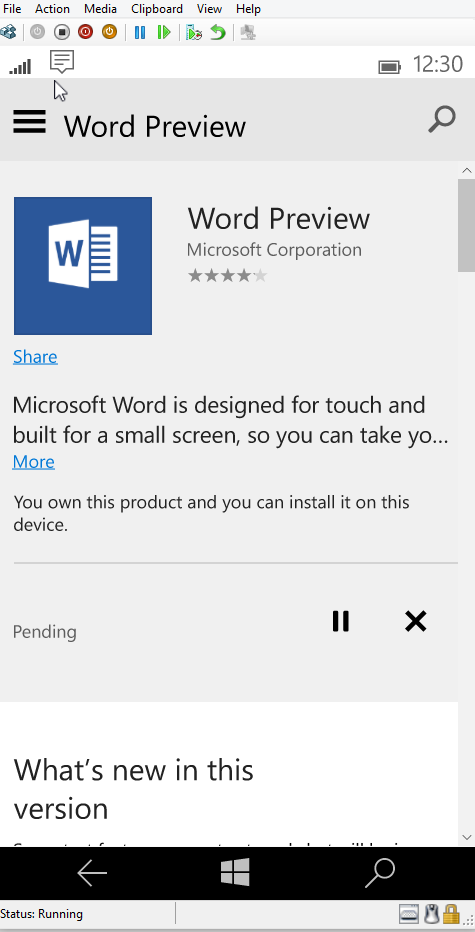
- Windows Phone renders a mouse pointer when using a mouse.
- Windows Phone treats mouse differently than touch.
- When using a mouse, you get a scroll bar inside universal apps, similar to that on the PC.
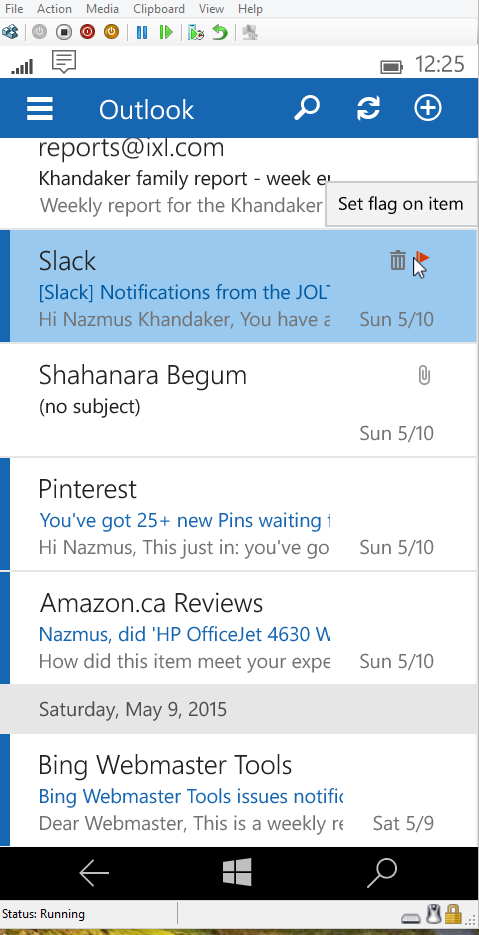
- Hovering over items shows tooltips, same as it does on a PC.
- You can navigate the Start screen using the arrow keys on your keyboard
- You can press the Windows Key on your keyboard to get to the Start screen.
- You can press the Escape (ESC) key on your keyboard to go back a page.
- You can use the arrow keys, Page Up, Page Down, Home, and End keys on your keyboard to scroll web pages.
- You can use Keyboard shortcuts to cut, copy, select, and delete text
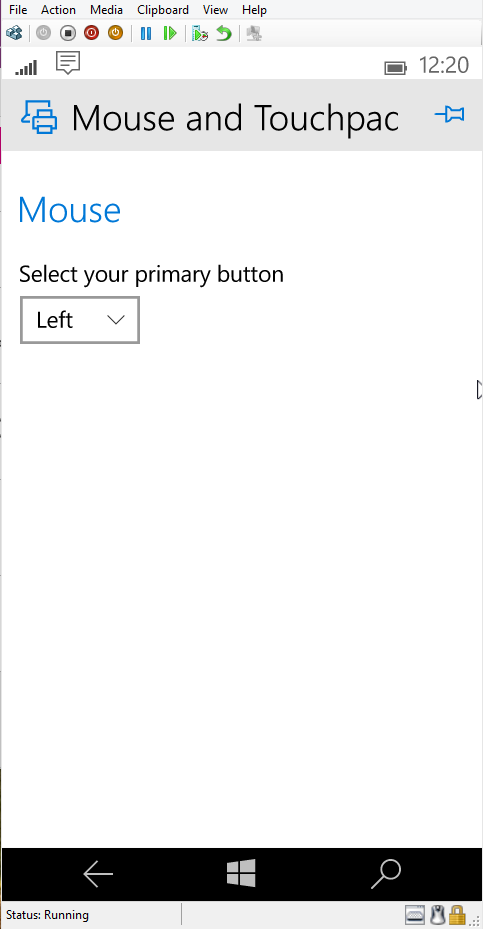
- There is a Mouse and Touchpad setting to select the Primary mouse button.
Here are some juicy screenshots!
Also check out the video demonstrations of all these features above. Please check it out and let us know what you think!






 McAkins Online
14 responses to “Using Windows 10 for Phones with Just Mouse and Keyboard”
[…] Source: McAkins Online […]
LikeLike
[…] Źródło: McAkins Online […]
LikeLike
Will this feature work with USB mouse/Keyboard or we need blue-tooth keyboard/mouse?
LikeLike
[…] McAkins Online Via: Windows […]
LikeLike
Will this feature work with USB mouse/Keyboard or we need bluetooth keyboard/mouse?
LikeLike
[…] y el manejarse mediante la pantalla táctil pueden no ser suficientes. Un vídeo realizado por McAkins Online nos muestra en funcionamiento estas dos funciones en la Build 10.069 de Windows 10 para móviles […]
LikeLike
[…] yang dirilis oleh Nazmus Shakib Khandaker dari McAkins Online ini menggunakan build 10069 di emulator. Lucunya, masih berbentuk Windows Phone. Ia menyebutkan […]
LikeLike
[…] Grundsätzlich hatte Microsoft auch hier angegeben, dass der vollständige Support nur für die kommenden Windows 10 for Mobile Geräte verfügbar sein wird, da auch hier neue Hardware erforderlich ist. Aber auch die Windows Phone 8.1 Geräte werden mit Windows 10 for Mobile dieses Feature bekommen – mit welchen Einschränkungen ist bis dato nicht bekannt. Nun zeigt sich der Maus- und Tastatursupport in einem neuen Video der Kollegen von McAkins. […]
LikeLike
[…] FONTE […]
LikeLike
[…] wideo z McAkins Online stworzony przy pomocy wirtualnej maszyny Hyper-V pokazuje, jak zachowuje się mobilny Windows 10 […]
LikeLike
[…] via – via […]
LikeLike
[…] Впрочем, один из авторов сайта McAkins Online совсем недавно обнаружил, что создание универсального приложения в Visual Studio 2015 RC […]
LikeLike
[…] A new video is arrived online which shows Windows 10 for phone build 10069 running in an emulator using keyboard and mouse functionally and reveals just how seamless the use of Windows 10 will be on phone compared to PC. By using mouse with a Windows Phone automatically enables scrollbars in universal app. The usual keyboard shortcuts used by PC owners work in same way on Windows Phone as do the arrow keys for scrolling the start screen and app content, and users can also customize the mouse the same way they would on a PC with right and left-handed options. […]
LikeLike
[…] y el manejarse mediante la pantalla táctil pueden no ser suficientes. Un vídeo realizado por McAkins Online nos muestra en funcionamiento estas dos funciones en la Build 10069 de Windows 10 para móviles […]
LikeLike